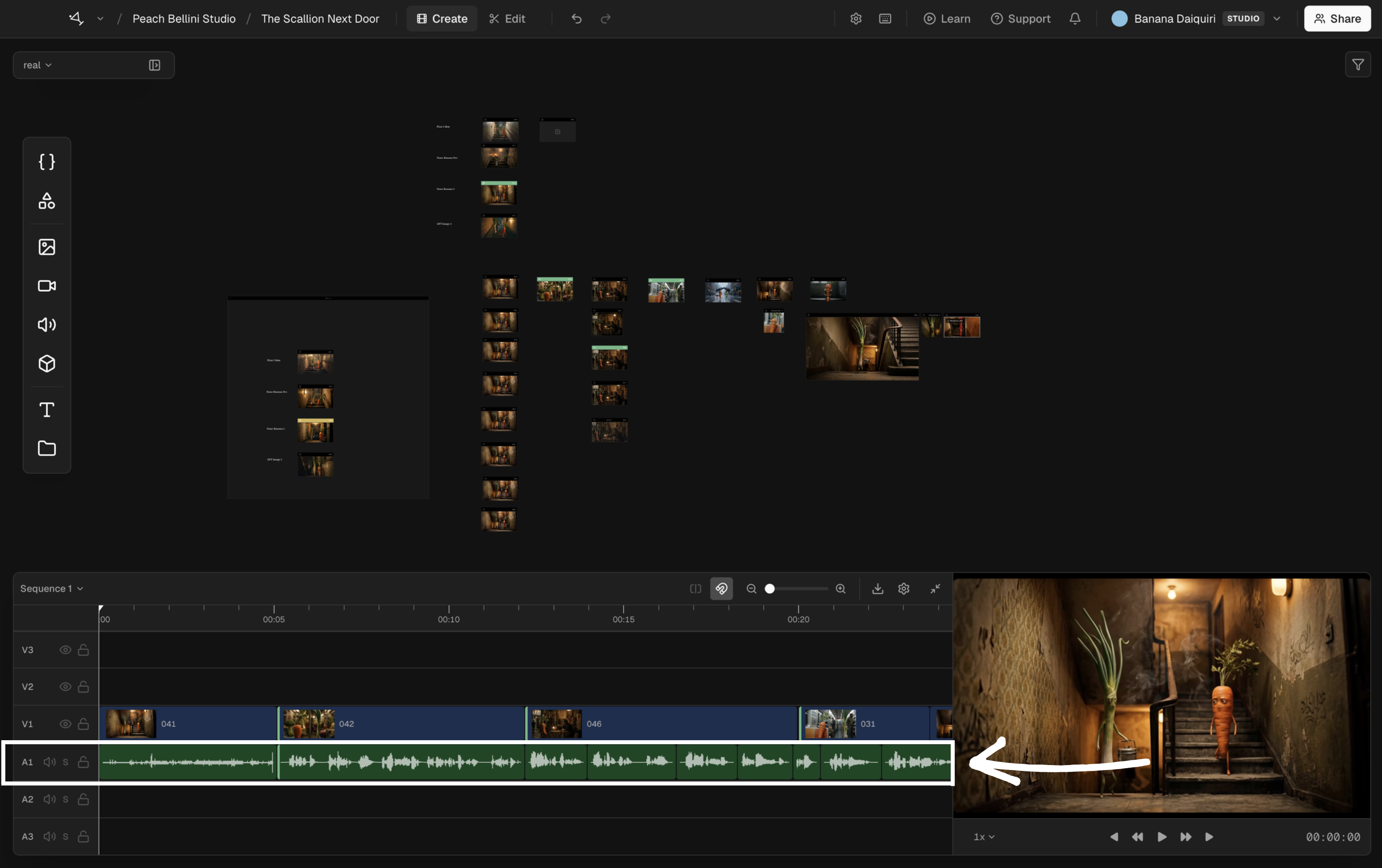
Audio
Arrange dialogue, music, effects, and generated sound against the picture.
Audio clips live on audio tracks beneath the picture. Their waveforms make dialogue, beats, and transients visible, so you can line up an edit without guessing from the file length.
Add and shape audio
- Drag an audio asset from the canvas to an audio track, then move it to the intended start time.
- Drag either edge to trim the clip. The source audio remains unchanged.
- Add another audio track when dialogue, music, or effects need separate control.
- Use the track controls to mute, solo, or lock a track while you review the mix.
Video with embedded audio creates linked video and audio clips in sequences that use separate track types. Moving or trimming one keeps the pair together. If you need to edit them independently, right-click either clip and choose Unlink Audio/Video.
Generated sound is treated like imported sound once it reaches the timeline. Play across each cut to check sync and continuity; a visible waveform can show timing, but it cannot tell you whether the transition sounds natural.