Billing
Review your personal plan, olive balance, spend, and invoices.
Personal billing covers your own plan and the projects in your personal workspace. It is separate from every team billing account you belong to.
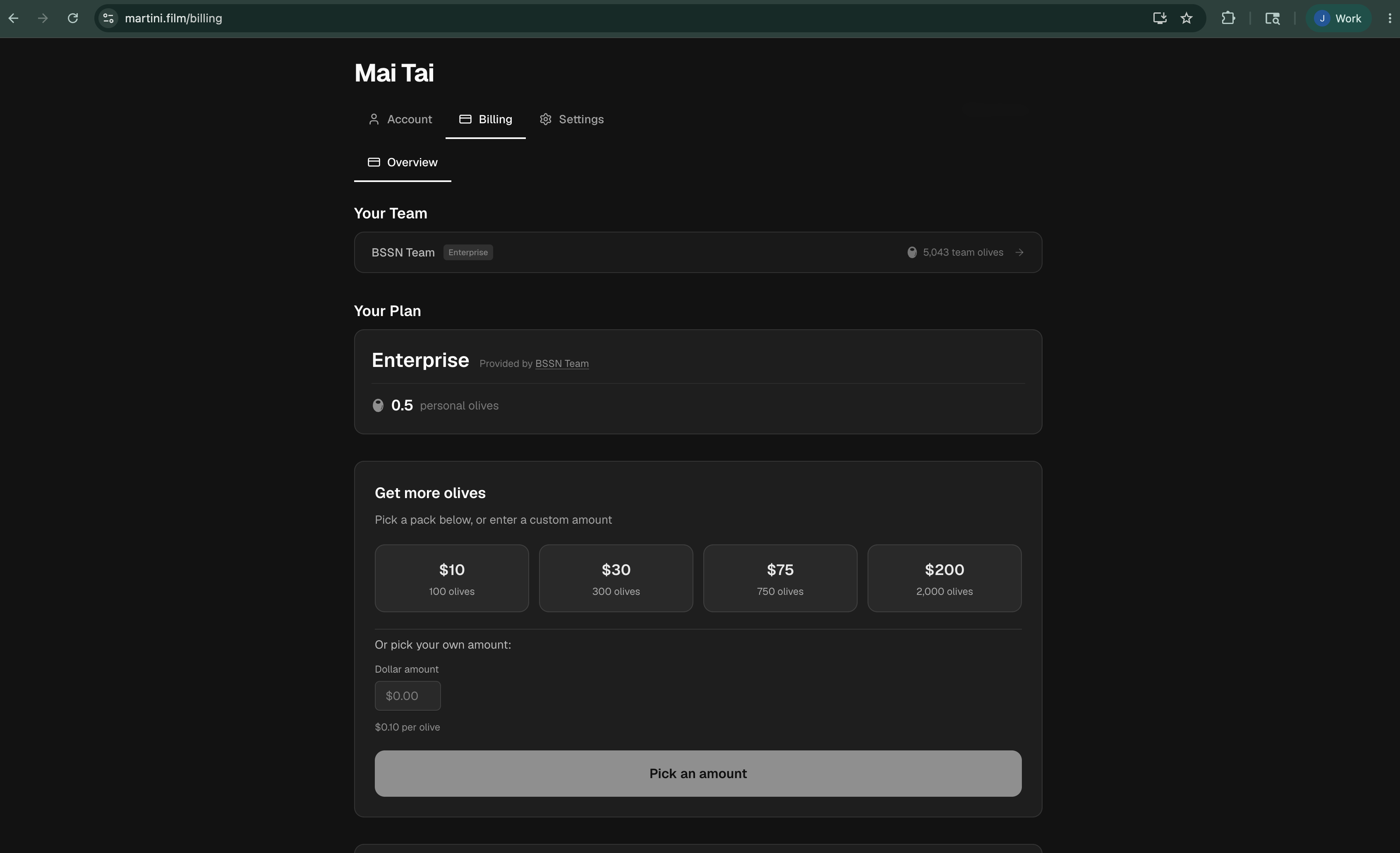
Open Settings > Billing to see your current plan and personal olive balance. You can open the olive store for a one-time top-up, configure auto top-up, or use the billing portal to manage the saved payment method and subscription.
Review the account
- Spend summary shows how many personal olives were used.
- Recent activity lists balance changes such as plan grants, top-ups, generation charges, and eligible refunds.
- Invoices lists subscription and purchase records and provides downloadable invoice files.
- Spend by project helps you find which personal projects account for the usage.
Before buying olives, check the project's billing label. A personal project spends personal olives. In a team workspace, a project labeled Team billing spends team olives, while a project labeled Pay per user spends the generator's personal olives. Adding olives to one balance does not increase the other.
If you change or cancel a plan, review the effective date in Billing before relying on the new limits. Remaining personal olives stay with the account.