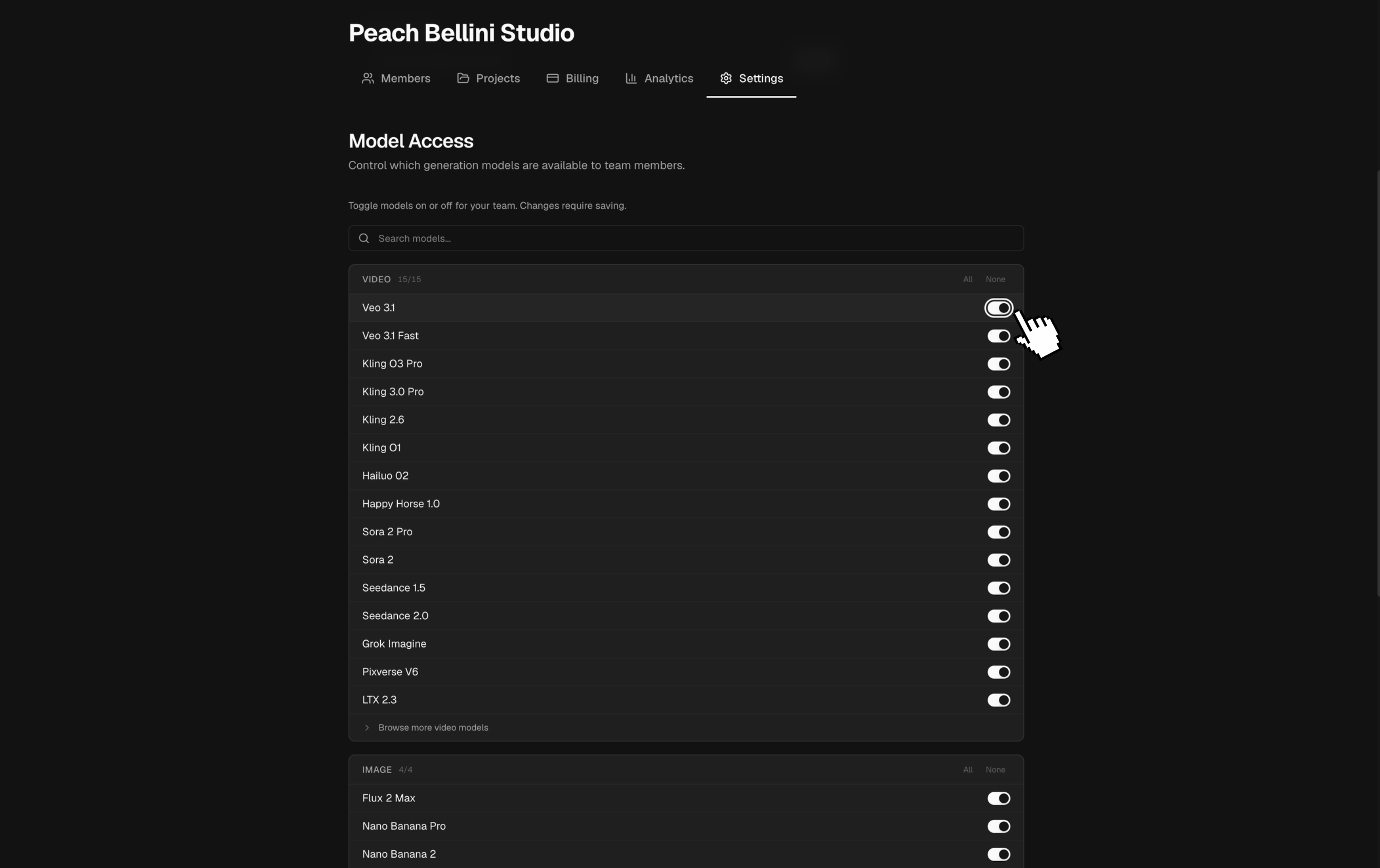
Manage team models
Choose which generation models team members can use.
Model Access is the team's shared list of approved generation models for projects labeled Team billing. Use it to keep the model picker aligned with the tools, costs, and review standards your team has chosen.
Change model access
- Open the team workspace, then open Settings and find Model Access.
- Toggle individual models, or enable or disable a whole capability group.
- Select Save Changes. The new list applies to everyone using the team workspace.
A model disabled by an admin is unavailable in team-billed projects, even if a member has chosen to show it in personal settings. Members can still hide additional models for their own account without changing access for anyone else. In projects labeled Pay per user, model access follows the personal account of the person generating.
Changing access does not remove media that was already generated. If an unfinished shot points to a model that is no longer available, choose an enabled model before generating again.
If the model you need is not listed, use Request Model. A request records the need for review; it does not add the model to the team immediately.