Characters
Place reusable subjects in a set and carry them across camera angles.
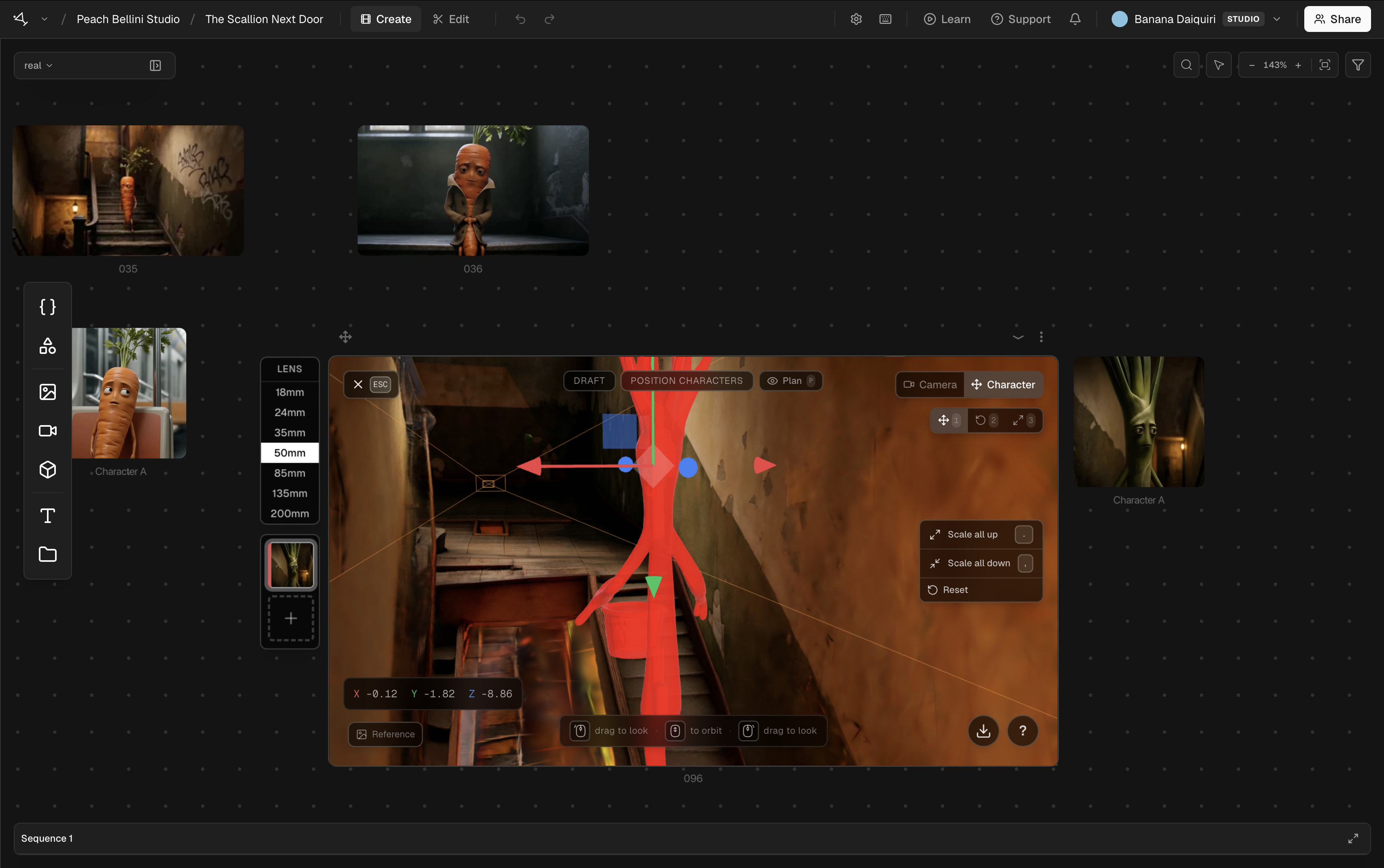
Characters give set-based shots a consistent subject reference. A character can be a person, creature, or object that you position inside the reconstructed environment before you capture a camera view.
When you create a set from an image, Martini detects the visible subjects and asks which ones to keep. A set currently supports two character slots, so select the two subjects you expect to use. A clear full-body view with distinct edges gives the placement step more useful information than a cropped or obscured figure.
Inside the set viewer, press Tab to switch between Camera and Character modes. In Character mode, select a character to move, rotate, or scale it. Use the numbered gizmo controls shown in the viewer when you need to change the kind of transform.
If a character slot is open, you can add another subject after the set is created. This is also the way to add characters to a set made from video, because video sources do not extract them automatically.
Character placement becomes part of the captured shot reference. It guides the generation model, but it does not lock every visual detail. Review identity, wardrobe, scale, and contact with the environment in each generated take.