
Asset library
The library holds the material you reuse: characters, locations, costumes, styles, and reusable variables. Build a character once and cast her in every production after.
One library, many projects
The library belongs to your workspace, not to any one project. Projects add the collections they need and the originals stay put, so an update in one place carries to every production that uses it.
How it's organized
The library holds everything. Folders file collections. Collections bundle the assets you actually use.
Each asset carries properties: emotion, costume, color.
If it lives on a Martini canvas, it can live in a collection.
Images
Frames and references
Videos
Takes and motion
Variables
Reusable prompt values
More
Anything from the canvas
Folders
Optional filing. A Veggie Friends folder can hold the characters, costumes, and locations that belong together — or a collection can live at the library root.
Collections
A named group with a cover image, description, and tags. Think Ms. Rambutan, Costumes, or Locations.
Assets
The images, videos, and variables inside a collection. One collection holds many looks, angles, and takes of the same subject.
Properties
Typed fields on individual assets, such as emotion, costume, or color. Once a collection grows, one filter beats a long scroll.
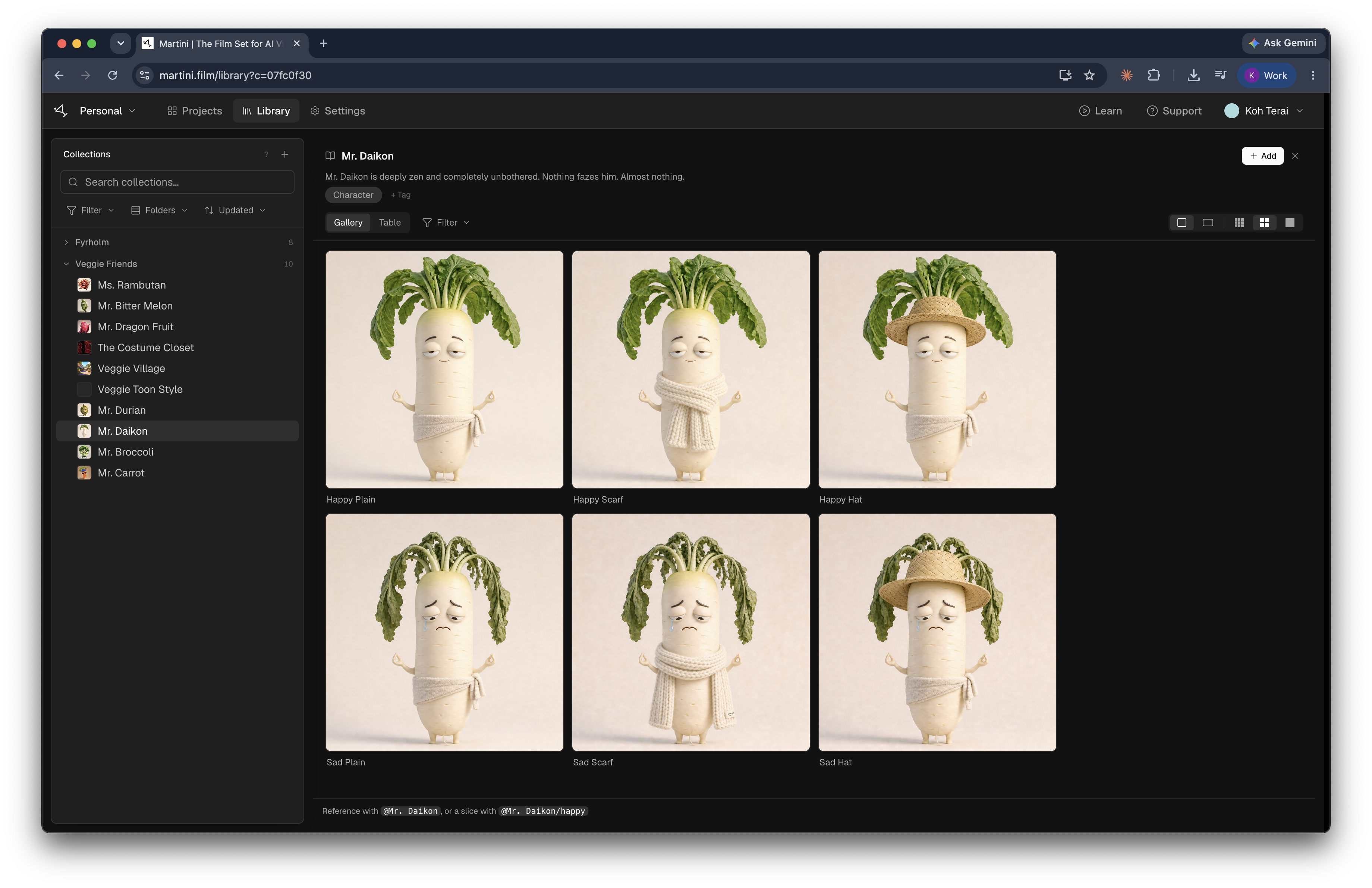
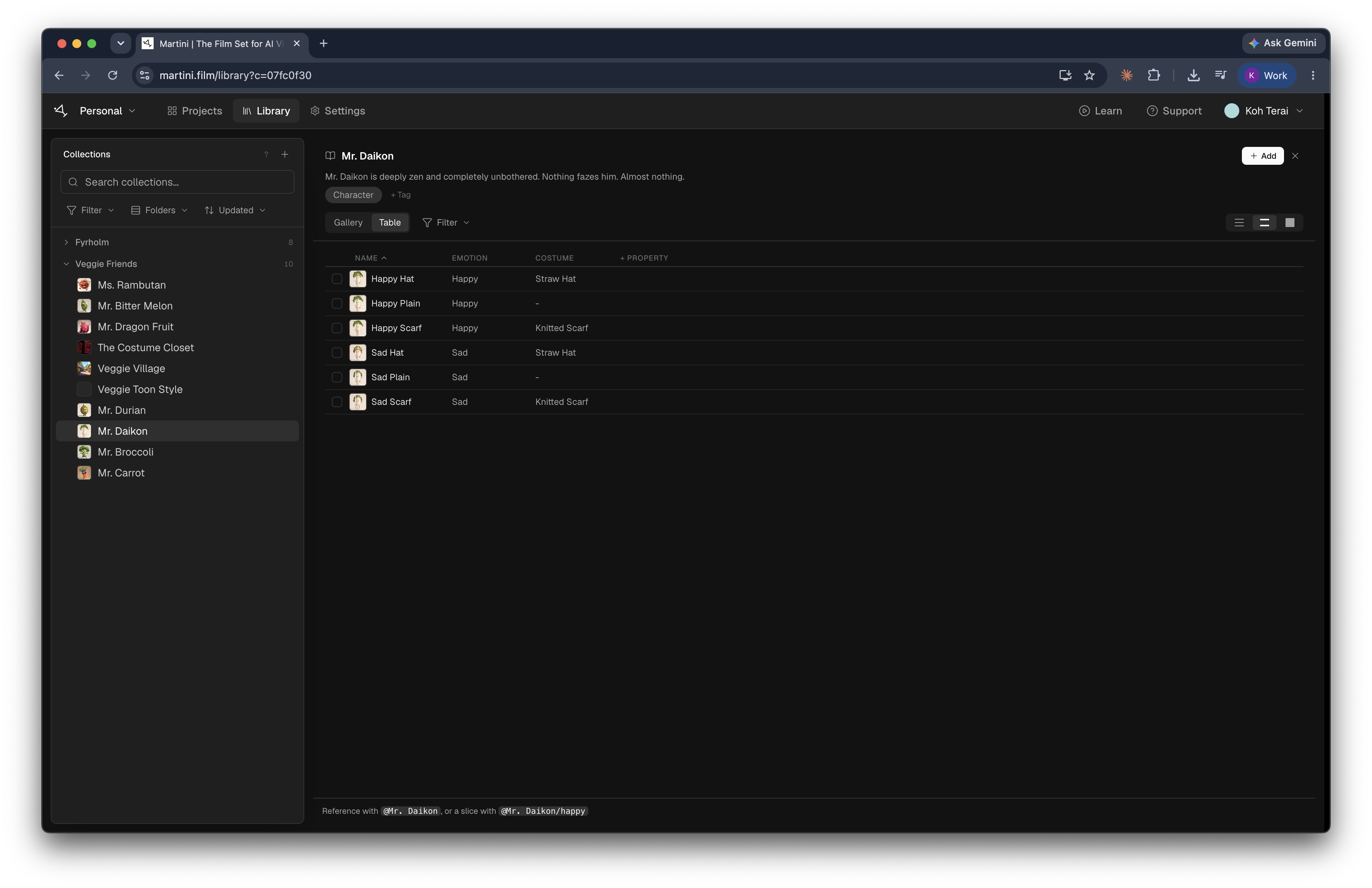
From library to frame and back
Bring a collection into a project, cast it in prompts, then save the strong takes back into the same collection.
- 1
Start a collection
Upload images or videos, save takes from the canvas, or add reusable variables.
- 2
Organize it
Name the collection, pick a cover image, add tags. Give each asset properties: emotion, costume, color.
- 3
Add it to a project
Open the Library tab in your project and add the collections you need. Add all brings in a whole folder.
- 4
Mention it in a prompt
Type @ to see what's in the project. Reference a collection like @Ms. Rambutan, or a slice — @Ms. Rambutan/happy — for one exact asset.
- 5
Save the next take back
Right-click a strong result and choose Add to Library, or drag it into the collection.
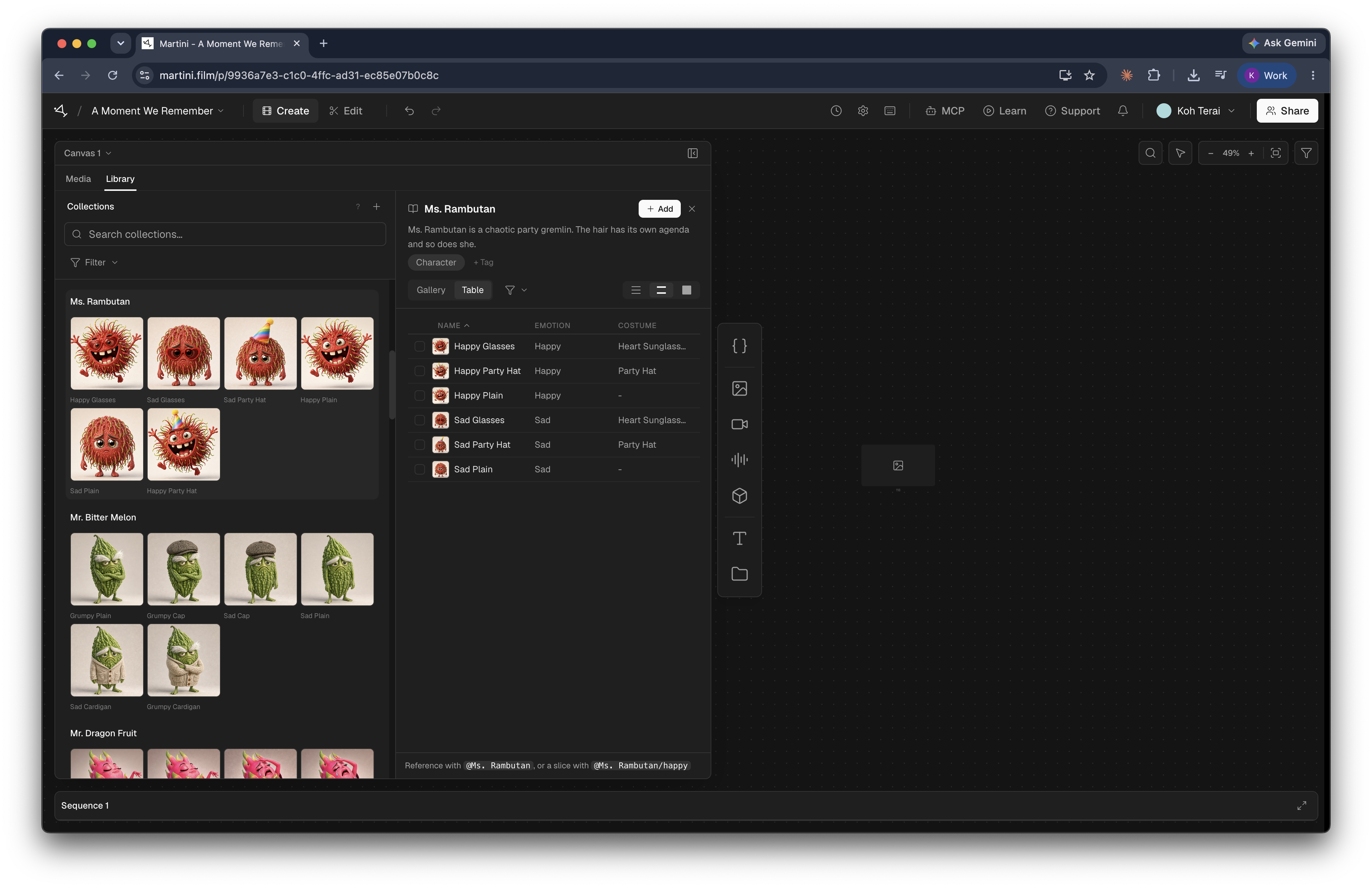
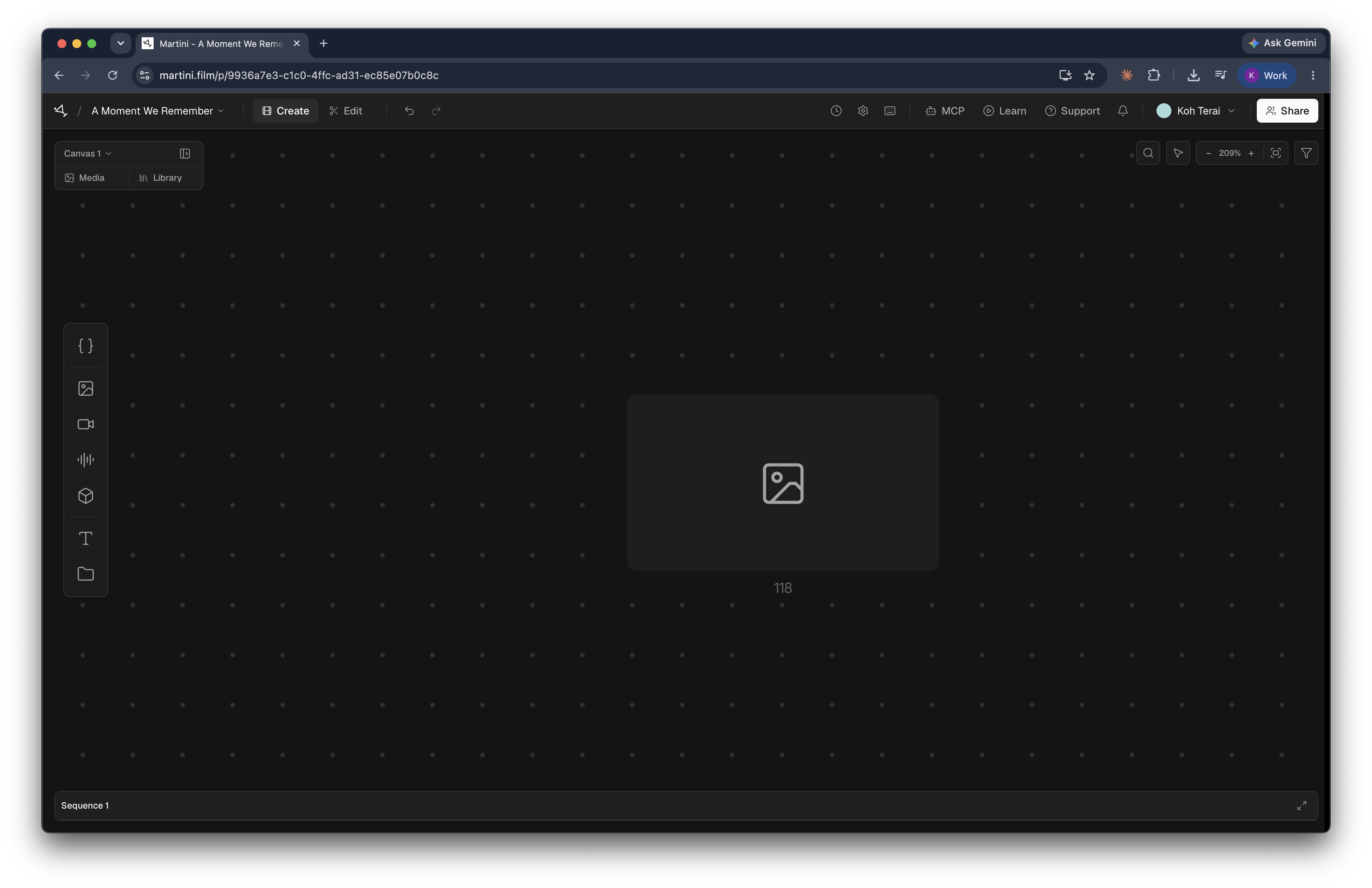
Build a Veggie Friends cast
One Veggie Friends folder holds the cast. Inside the Ms. Rambutan collection, each asset carries its own emotion and costume — so a slice like @Ms. Rambutan/happy lands the exact frame you meant.
Shared with your team
On a team plan the library is shared. Collections, folders, tags, and properties stay in sync for everyone.
Works with agents
An agent connected to Martini sees the same library. Ask it to file assets into collections and set properties, so everything is organized before you open the app.
Start with one collection
Save the character, location, or look you expect to use again — or load sample collections from the community library.